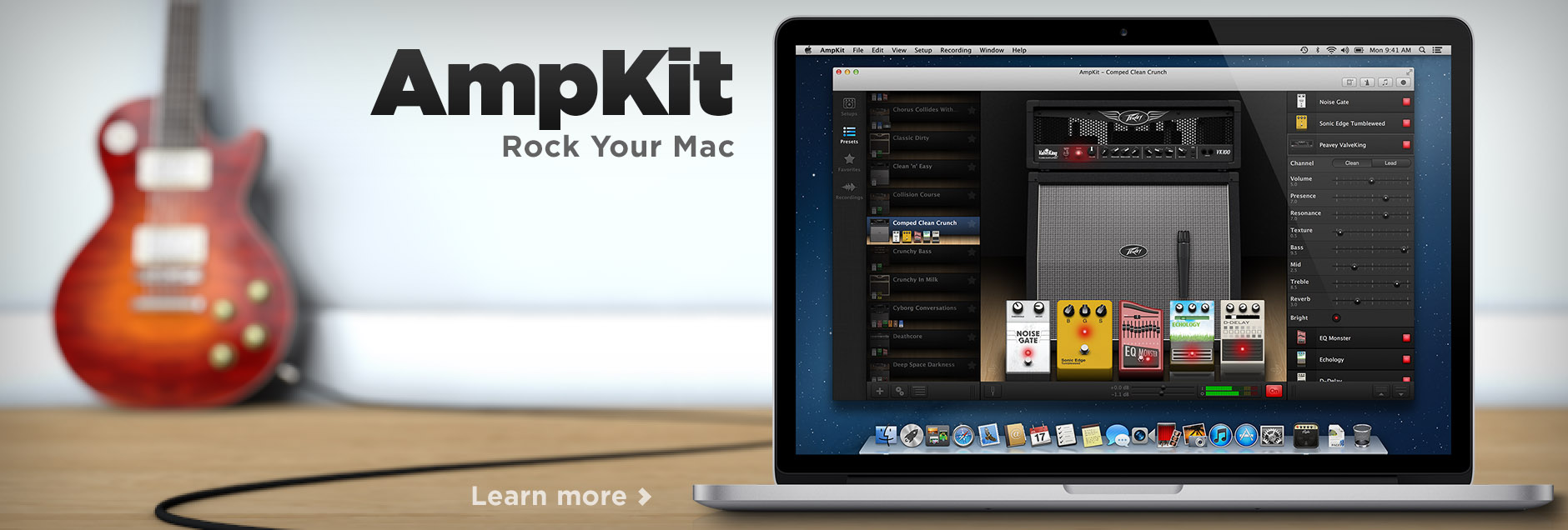
Today marks a wonderful milestone for Agile Partners and Mac guitarists alike: Agile has released its first Mac app, and AmpKit, our well-loved amp and effects app for iPad and iPhone, now has a powerful companion on the Mac App Store. With AmpKit Mac, simply connect your guitar to your Mac using a guitar interface (like the upcoming AmpKit LiNK HD), and your Mac is transformed into a powerful amp, effects and recording studio. Check out the overview page for features; or download the demo and see for yourself.
AmpKit Mac is custom-built for OS X 10.7 Lion and 10.8 Mountain Lion, taking advantage of the best new capabilities in OS X. We've worked hard to carry forward the design philosophy that has made AmpKit so easy to use, powerful, and great-sounding on iOS. We're already getting early reviewer feedback that AmpKit Mac has significantly raised the bar for Mac-based amp & effects apps.
Amps & Effects, The Mac Way
Mac users tend to greatly appreciate native Mac apps, apps that are custom-built for OS X, follow the Mac's thoroughly-documented human interface guidelines, and take advantage of OS X's unique features to deliver a superb user experience. We saw an opportunity here, since most Mac-based amp & effects apps aren't custom-built for Mac, but instead are "cross platform," built to run on both Macs and Windows machines. Most haven't optimized their user experience or performance for OS X.
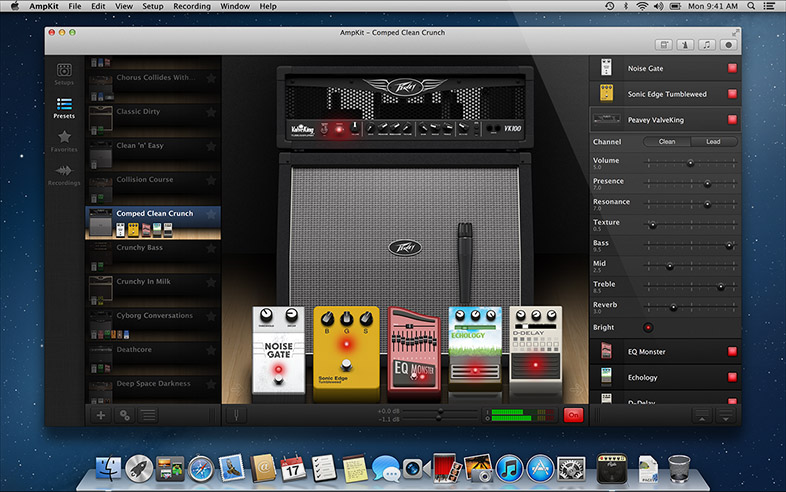
AmpKit in Action on the Mac
With AmpKit Mac, in contrast, we went all-out to deliver a beautiful, immersive, and truly native experience for Mac users. Here's how:
- AmpKit is a true 64-bit app, and its core amp & cabinet simulation code are well-optimized. The result: AmpKit delivers amazing tone but consumes a minimum of your Mac's resources.
- AmpKit takes advantage of many features new in OS X Lion and Mountain Lion, some influenced by iOS. These include Multi-Touch gestures, Full Screen mode, Sharing via email or AirDrop, and gesture-enabled Quick Look. These features have a big impact on how easy and enjoyable AmpKit Mac is to use.
- AmpKit uses a multi-panel UI, with a main "Stack View" and separate floating panels for Gear, Backing Tracks, Recording, and Metronome. The multi-panel UI is especially useful for users with multiple displays, where it works well combined with Full Screen mode.
- AmpKit does all the little things that make it a good OS X citizen, from a searchable "AmpKit Players' Guide" integrated into Apple's native Help Viewer to a fully-scriptable menu with dozens of keyboard shortcuts.
- AmpKit is available on the Mac App Store, delivering a simple and secure purchasing, installation, and upgrade experience. The Mac App Store makes life so much simpler--no complex registration and activation process, no troublesome update managers, no intrusive anti-piracy mechanisms like USB keys.
Mac Power to Complement iOS Mobility
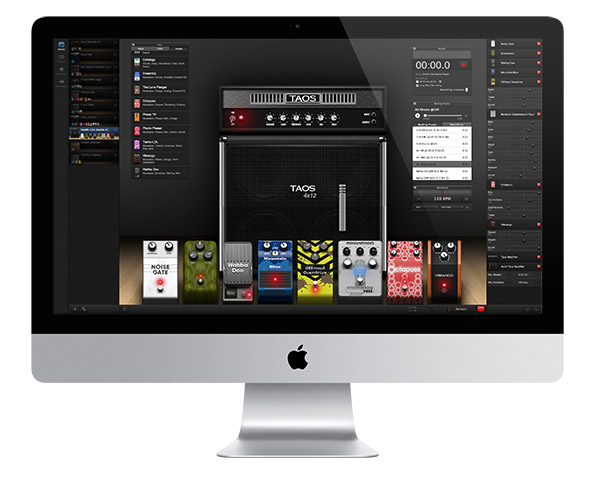 Another big advantage of AmpKit Mac is that many iPhone and iPad users also have Macs, and having AmpKit running on both mobile devices and your main computer gives you the best of both worlds: jam anytime, anywhere with AmpKit iOS, or sit down for some serious setup crafting and studio recording with AmpKit on your Mac. Since the gear available in AmpKit Mac is the same as that on iOS, AmpKit's Setup Sharing means you can easily use the same AmpKit setups on your iMac in the home studio and on your iPad and iPhone when traveling.
As powerful as mobile devices are these days, it's still tough to beat a full-fledged Mac when you're ready to do serious tone design or recording work, and AmpKit Mac takes full advantage of your Mac's extra power.
- We use the Mac's larger display (or multiple displays!) to expose more of everything, eliminating the need to drill down to see details.
- AmpKit enables Full Screen mode, and even works Full Screen on multiple displays, for a truly immersive user experience.
- We use the Mac's extra CPU power to improve the simulation fidelity of amps, cabinets, and complex pedals.
- AmpKit leverages the full breadth of the Mac user interface, embracing mouse, trackpad, gestures and keyboard with equal enthusiasm.
A No-Brainer for Mac Guitarists
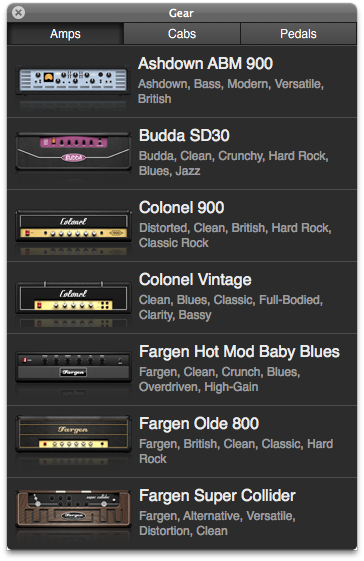 Although AmpKit includes many professional-grade features, such as non-destrucive re-amping and precise control of the effects chain, we wanted to bring the benefits of AmpKit to as many Mac users as possible. Here's what we did:
- Rather than selling individual amps and pedals, we decided that AmpKit Mac should include all the great gear that AmpKit is famous for: 22 amps with 38 separate amp channels, 28 pedals, 28 cabinets and 8 mics.
- We chose a price point for AmpKit Mac that we felt was highly affordable, particularly when compared to the high prices on similar apps: just $49.99 (US Mac App Store)
With this combination of powerful capabilities and a competitive price point, we're confident that AmpKit Mac will be a no-brainer for many Mac guitarists, from GarageBand users seeking more in-depth modeling options, to pro users who'd prefer to work in a truly native Mac app. Thousands of musicians have made AmpKit their go-to for jamming and recording, and we expect thousands more Mac users will do the same.